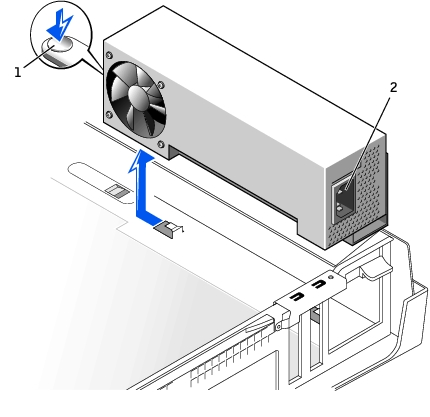
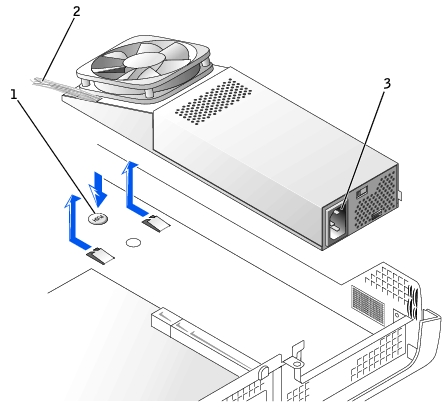
Disconnect the AC power cable from the back of the power
supply.
Disconnect the DC power cables from the system board and
the drives.
Note the routing of the DC power cables underneath the clips in the
computer as you remove them from the system board and drives. It is important to route
these cables properly when you replace them to prevent them from being pinched or crimped.
On the small desktop computer, remove the expansion-card cage and remove the power cables
from the side of the hard drive. To remove the power cables, use the cables as leverage
and pull away from the clips while simultaneously pulling on the metal clips with your
fingers.
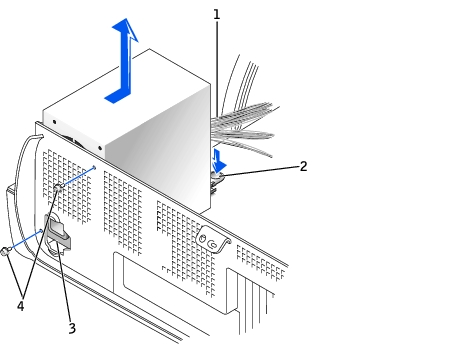
On the small mini-tower computer, remove the two screws
that attach the power supply to the rear wall.
Press the push button.
Slide the power supply toward the front of the computer
approximately 1 inch.